
Introduction: The Digitnow USB 2.0 VHS capture card offers easy, cross-platform VHS-to-digital conversion with up to 1080p30 resolution, broad device compatibility, and simple plug-and-play setup.
Waded through old boxes of VHS tapes only to realize your memories are trapped on outdated media? Scanning countless reviews and options can quickly become overwhelming, especially when facing unfamiliar technology. The usb 20 vhs capture card from Digitnow offers a straightforward path to convert analog footage without the typical frustration. Designed to bridge decades-old video with modern digital formats, this device isn’t just another technical gadget—it’s a practical solution that meets the need for preserving cherished moments in a form compatible with today's devices.
Compatibility of video vhs usb connections with common analog devices
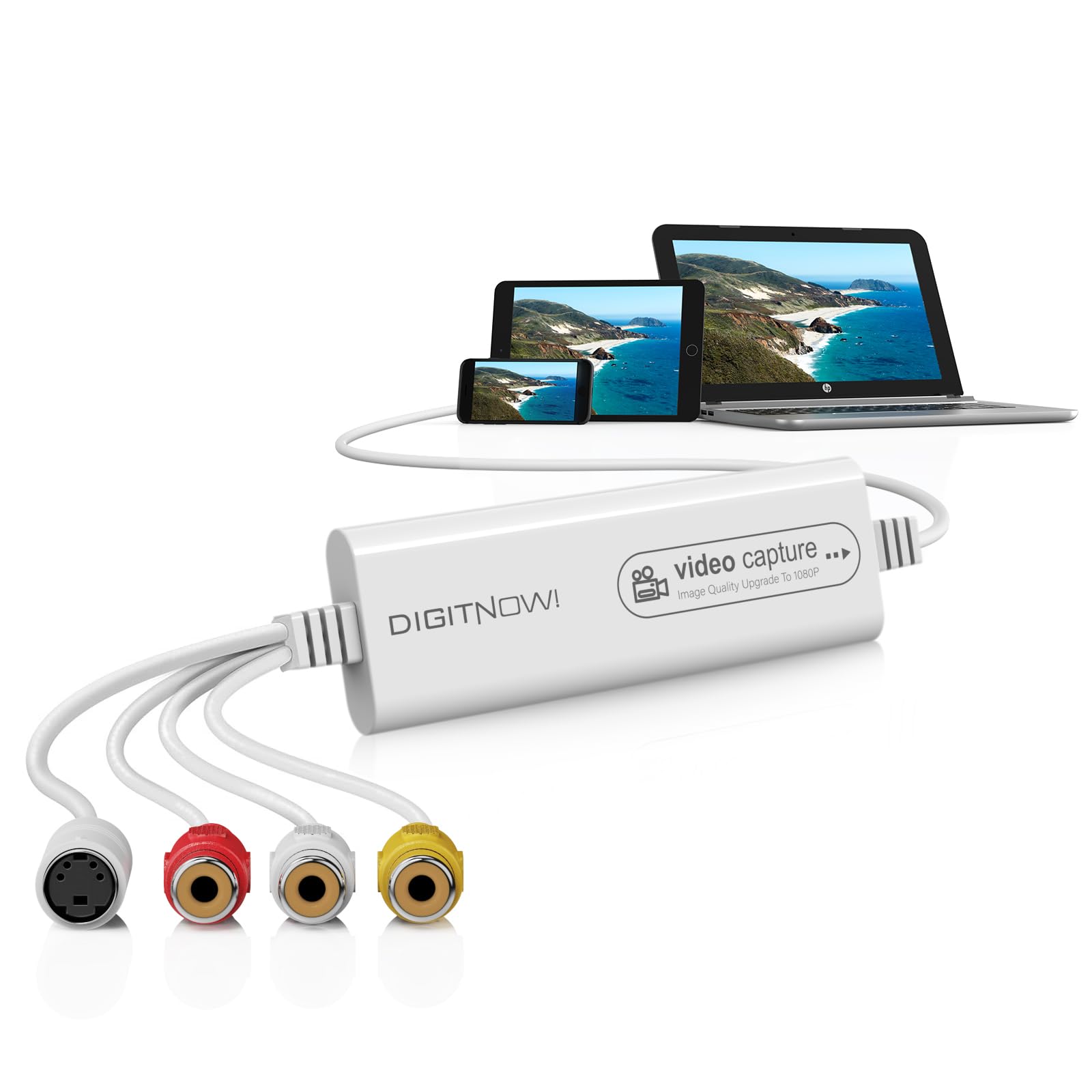
Connecting classic video equipment to a computer often triggers concerns about matching cables, signal types, and operating systems. The usb video capture device vhs from Digitnow simplifies this with extensive compatibility. Supporting RCA, CVBS, and S-Video inputs, it works seamlessly with a wide range of analog devices like VCRs, camcorders, and Mini DV players. Its usb 20 vhs capture card interface uses the widely adopted USB 2.0 standard, facilitating a reliable connection to many modern computers without requiring complex installations. Users appreciate that it automatically recognizes NTSC and PAL signals, reducing guesswork about video standards that vary by region. This cross-compatibility makes it particularly useful for those dealing with mixed collections of analog equipment, eliminating the need for additional adapters or converters. Beyond hardware, its broad OS support, including older Windows versions like XP through to Windows 10, Mac OS 10.7 or later, and even Android 5.0 upwards, means the device fits naturally into diverse computing environments. This flexibility positions the Digitnow usb video capture device vhs as an accessible choice for anyone aiming to digitize their tapes, regardless of their existing setup or technical skill level.
Resolution and format options available with digitnow video capture
Digitnow’s usb 20 vhs capture card impresses by offering an adaptable range of resolution and format choices tailored to various output needs. While the source analog tapes generally limit maximum image quality, this device supports capturing video up to 1080p at 30Hz, allowing users to enhance the viewing experience beyond what some older setups offer. Using formats such as MJPEG and YUV422 ensures that video data is handled efficiently while preserving clarity during conversion. Additionally, the device accommodates popular digital container formats like MP4, AVI, and MKV, balancing high compatibility with widespread software. The ability to select different audio formats including MP3, WMA, FLAC, and AAC adds further value, ensuring that sound quality matches the visual capture. Importantly, these options offer users both straightforward presets for quick digitization and the flexibility to customize output for specific sharing or archiving goals. Packaged with intuitive editing and DVD burning software, the usb video capture device vhs from Digitnow supports the creative process from conversion right through to producing deliverables for personal use or online sharing platforms. This well-rounded approach to output options makes it a practical device that suits both novice users and those who value detailed control over their video preservation workflows.
Setting up digitnow vhs to digital converter on different operating systems
Navigating setup protocols across various systems can be daunting, but the Digitnow usb 20 vhs capture card is designed for effortless installation and use across multiple operating systems. It eliminates traditional pains by being plug-and-play with no manual driver installations required. Once connected via USB, the device promptly detects the video source and automatically adjusts for the correct format and resolution settings. For Windows users, recommended programs such as OBS and PotPlayer are compatible with all current supported versions, providing versatile recording and viewing options without extra hassle. Mac OS users benefit from the device’s compatibility with QuickTime Player and other standard video capture tools, while Android users can integrate the converter using apps designed for external video capture. The inclusion of an RCA cable and straightforward instructions reduces setup confusion, allowing users to connect analog sources quickly and start recording in minutes. This comprehensive ease of setup across platforms reflects the Digitnow device’s role as a handy tool for transforming analog recordings, regardless of one’s operating environment. It also aligns well with the usb video capture device vhs’s promise of making video digitization accessible to a broad audience by minimizing barriers related to system compatibility and setup complexity.
Bringing past moments into today’s digital world often risks delays, technical errors, and complicated workflows. Using the usb video capture device vhs from Digitnow alleviates these concerns with a confident design focused on user-friendly bridging of analog and digital media. Its compatibility with a diversity of devices, comprehensive format support, and painless setup process help reduce the operational risks tied to preserving precious video collections. Those who invest in this usb 20 vhs capture card often find reassurance in its dependable functionality and steady performance, turning what could be a daunting task into something manageable and rewarding. Looking forward, as video portability and digital preservation become increasingly important, this reliable converter stands ready to support ongoing access to analog memories in a digital age.
References
1. Digitnow USB 2.0 Video Capture Card – Digital Video Converter for Windows and Mac
2. Digitnow USB 2.0 Video Capture Device – Capture Analog Video for Your Mac or PC
3. Digitnow USB 2.0 Video Grabber – One Touch VHS VCR TV to DVD Converter
4. Digitnow USB 2.0 Video Capture Card – Digital Video Converter
5. DIGITNOW Digital Recorder & VHS Converter Review – An in-depth analysis of the DIGITNOW Digital Recorder and VHS Converter.